ATLAS Tuning Guide for the 2022+ WRX
Free personal-use software with direct calibration tools; exact ECU, release and feature support still need checking.
Verdict
Choose ATLAS when your exact ECU and intended calibration provider are supported and its computer/adapter workflow fits. Verify licensing, software/definitions, account, adapter firmware, power and recovery before flashing; current logging requires an ATLAS custom calibration.
What ATLAS is
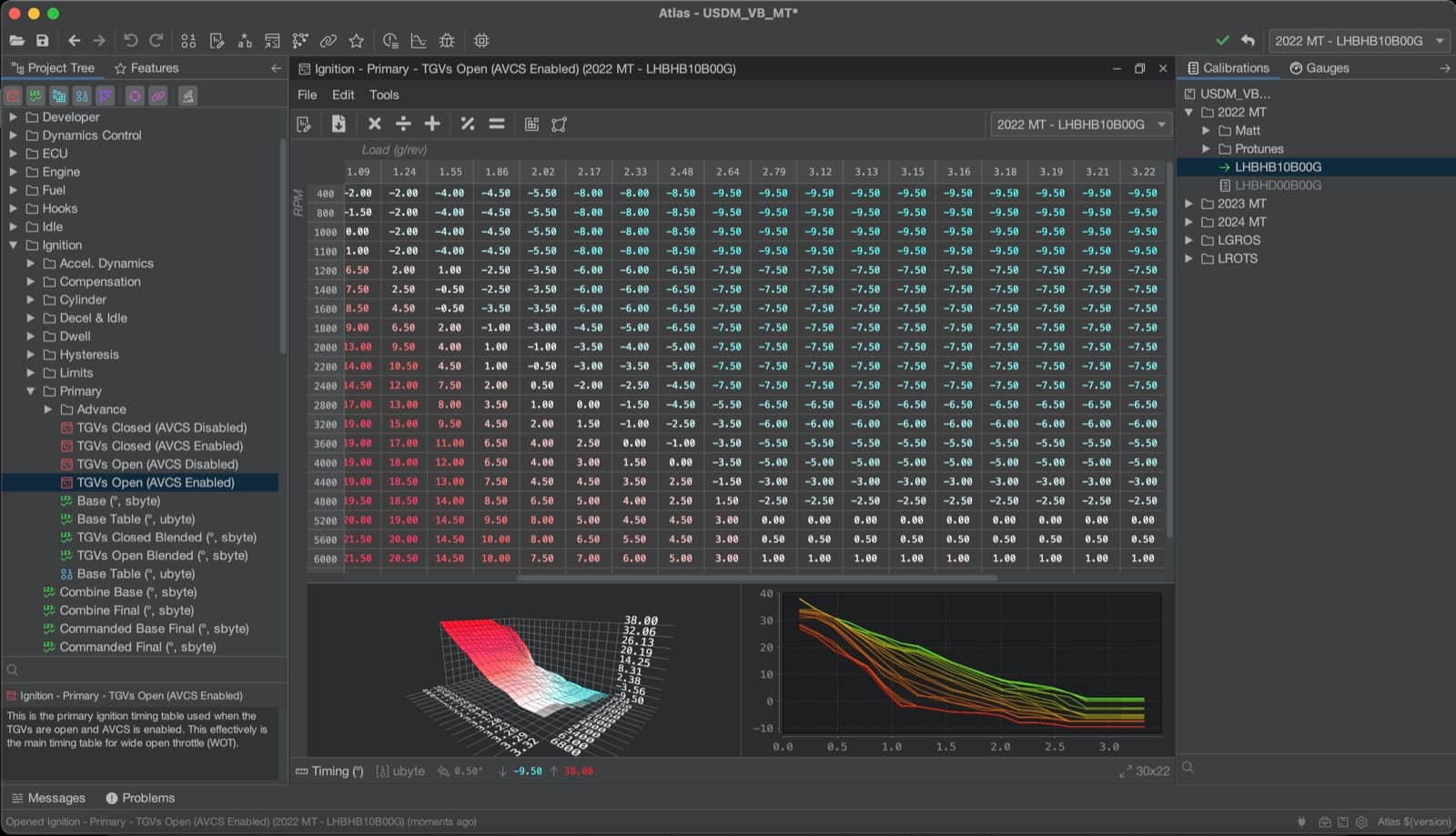
ATLAS is closed-source software available free for personal, noncommercial use. Hardware, computer access, power support, professional tuning and premium features can add costs. Commercial tuning has separate licensing and vehicle-credit rules; a tuner’s license does not establish support for every vehicle or map. Check model year, transmission, original market, exact ECU calibration ID and minimum ATLAS release against NAMR’s supported-vehicle matrix. A supported matrix entry means at least one ROM is defined, not every ROM for that year. Do not substitute a calibration from a different market. Confirm that the NAMR account’s region permits flashing/recovery for that market (https://motorsportsresearch.atlassian.net/wiki/spaces/ATLAS/pages/101679105). NAMR’s emissions policy excludes flashing a vehicle located in or registered in California and says its software is unsupported in that state (https://motorsportsresearch.org/emissions). It runs on supported Windows, macOS and Linux computers through an OBD adapter. The application includes table editing, logging/visualization, realtime support on compatible tables and a visual custom-feature designer. Those capabilities do not establish support for every ROM, parameter or feature. Since ATLAS 2026.1, datalogging requires a supported non-OEM custom calibration flashed directly with ATLAS 2026.1 or later. An untouched OEM calibration, an OEM restoration, or a COBB/other third-party tune is not eligible. Newly added parameters can require another compatible flash. Custom features depend on the exact ECU definitions, hooks, transmission, feature package and release. Some official features are paid, and commercial licenses are separate. Importing, enabling and flashing a feature is only part of setup: follow its own hardware, configuration and validation instructions. Sources: NAMR FAQ: https://motorsportsresearch.org/faq NAMR vehicle matrix: https://motorsportsresearch.atlassian.net/wiki/spaces/ATLAS/pages/49643521 2026.1 logging and OEM rules: https://motorsportsresearch.atlassian.net/wiki/spaces/ATLAS/pages/101679105 ATLAS 2026.2 release notes: https://motorsportsresearch.atlassian.net/wiki/spaces/ATLAS/pages/138346497 NAMR custom-feature installation: https://motorsportsresearch.atlassian.net/wiki/spaces/ATLAS/pages/493125633
Related Questions
Community FAQ
atlas
What is ATLAS tuning for the 2022+ WRX, and how does it work?
ATLAS is NAMR’s closed-source ECU calibration application, free for personal, noncommercial use. It connects a supported computer and OBD adapter to a supported ECU for calibration work and eligible post-flash logging.
Read answer →
atlas
Is ATLAS really free to use for tuning a WRX?
The closed-source ATLAS application is free for personal, noncommercial use. Adapters, power support, professional tunes, premium features and commercial licensing can cost extra.
Read answer →
atlas
Which 2022+ WRX model years and transmissions does ATLAS support?
Use NAMR’s matrix for year, transmission, market and minimum release, then verify your exact ECU ROM. Some configurations remain In Progress; “2022+ WRX” is not universal compatibility.
Read answer →
atlas
Do I need a COBB Accessport if I use ATLAS?
No. ATLAS needs its own supported adapter and computer. The Accessport is a separate platform, and NAMR does not support using it for ATLAS flashing, gauges or logging.
Continue reading
Related Guides
ATLAS
How to Get Started With ATLAS
Verify support, identify the ECU, select the calibration, prepare and flash, then log when eligible.
Read guide →
ATLAS
WRX ATLAS Datalogging Guide
Choose parameters for the ECU and diagnostic question; review eligible logs with the calibration and conditions in view.
Read guide →
ATLAS
ATLAS Flashing and ECU Safety Guide
Power and communication matter, alongside ECU support, calibration, firmware and a model-specific recovery plan.
Read guide →